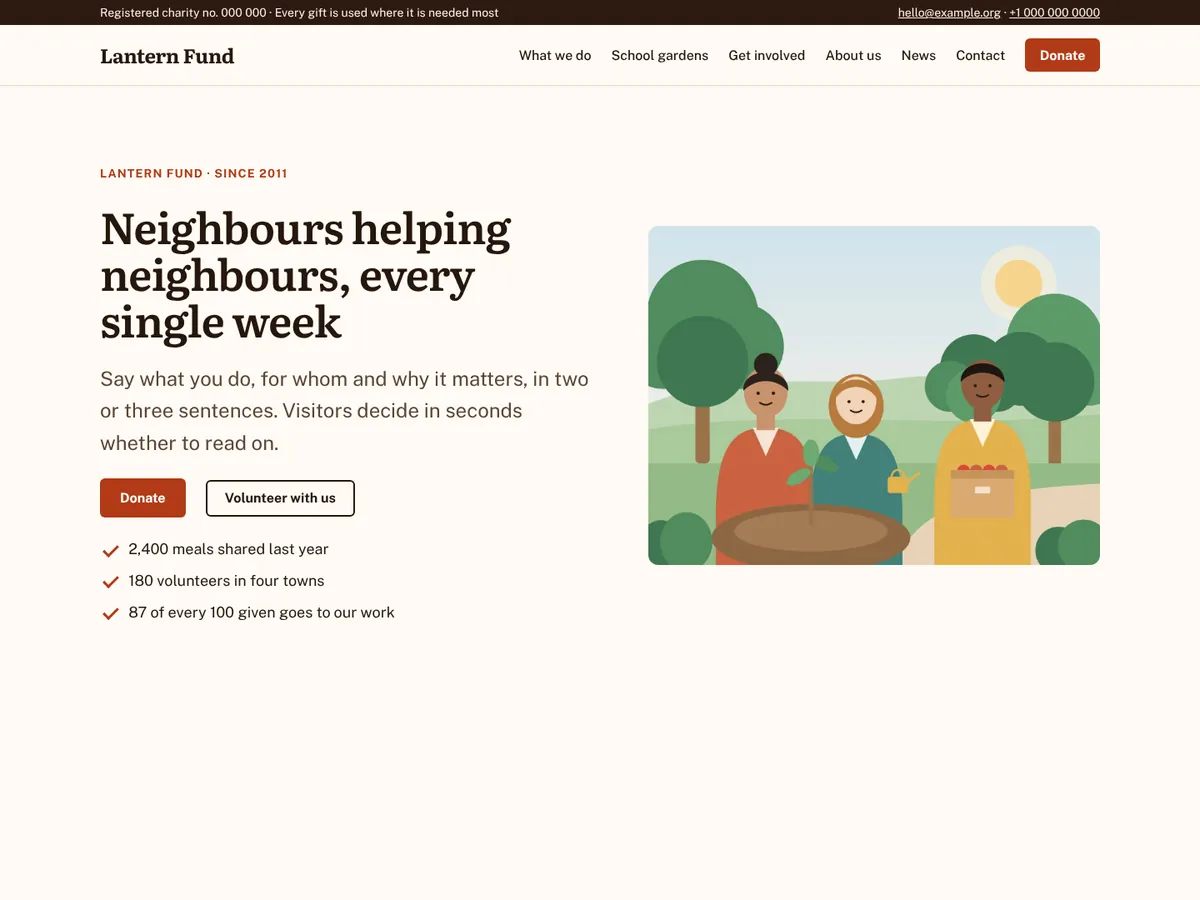
Everything a donor needs to say yes
People give when they trust you, can picture what their money does and find the button without looking for it. AriCause is built around those three things.
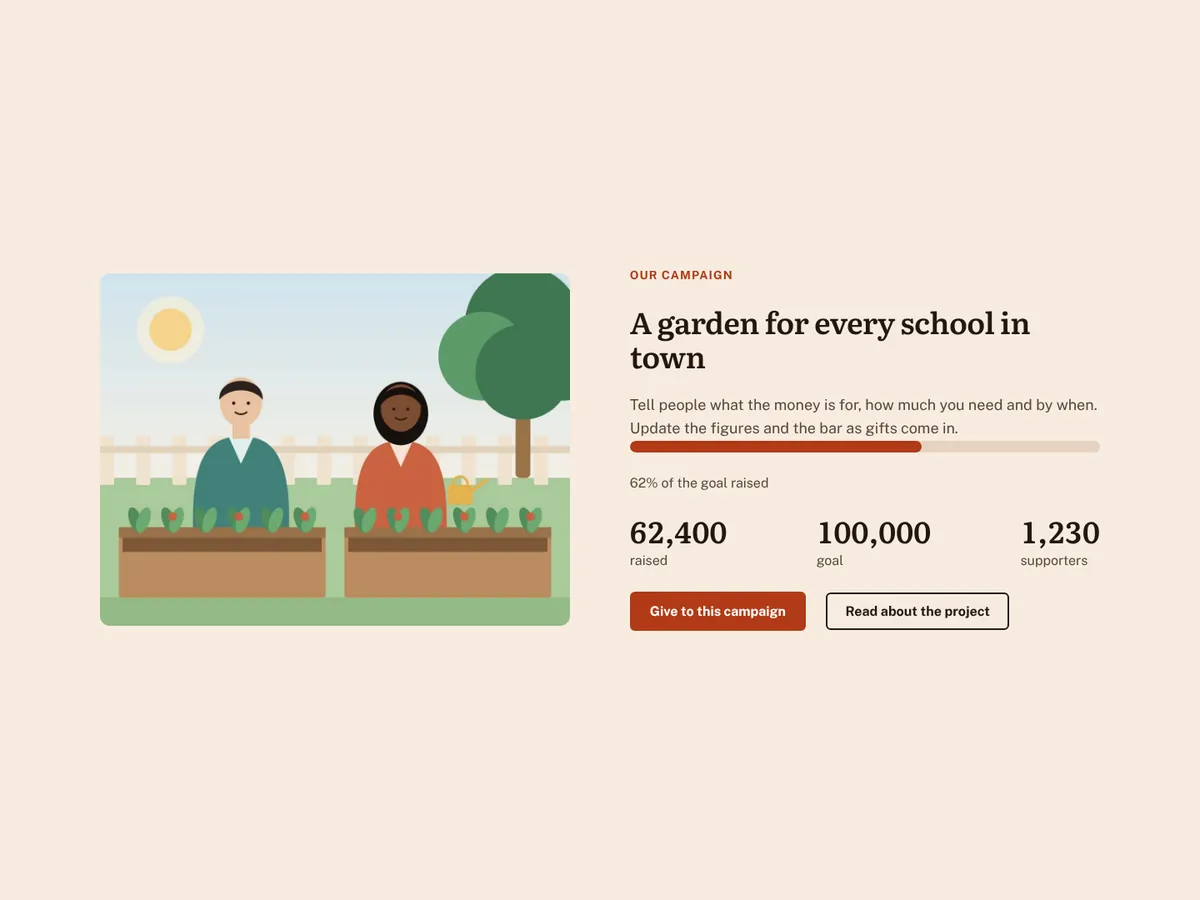
Campaigns that show the goal
Put one campaign up front, or several side by side, each with a progress bar, the amount raised, the goal and the number of supporters. You update the bar and the figures as gifts come in; the figures say the same as the bar in words, for everyone.
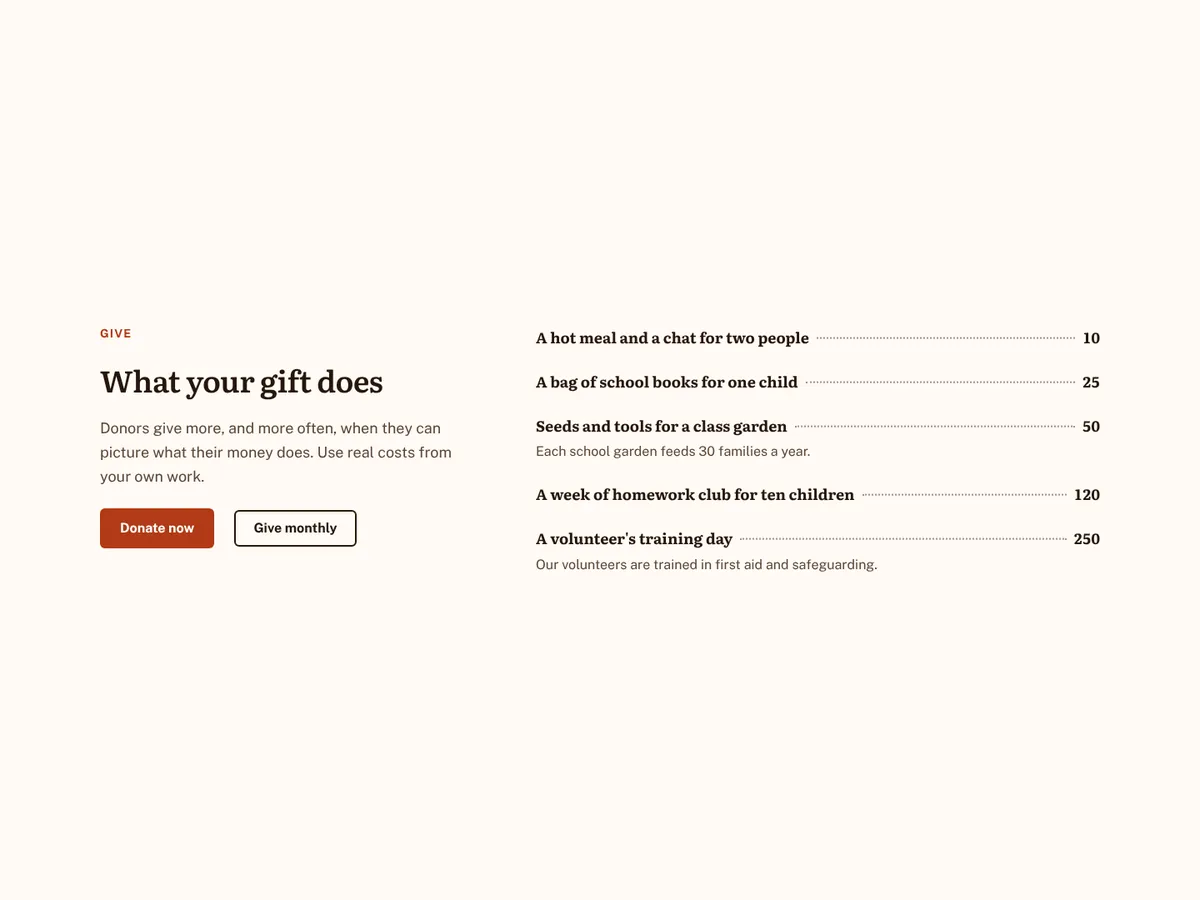
What your gift does
Show real amounts beside what each one pays for, with a dotted line between them: a hot meal, a bag of school books, a week of homework club. Donors give more, and more often, when they can picture the result.
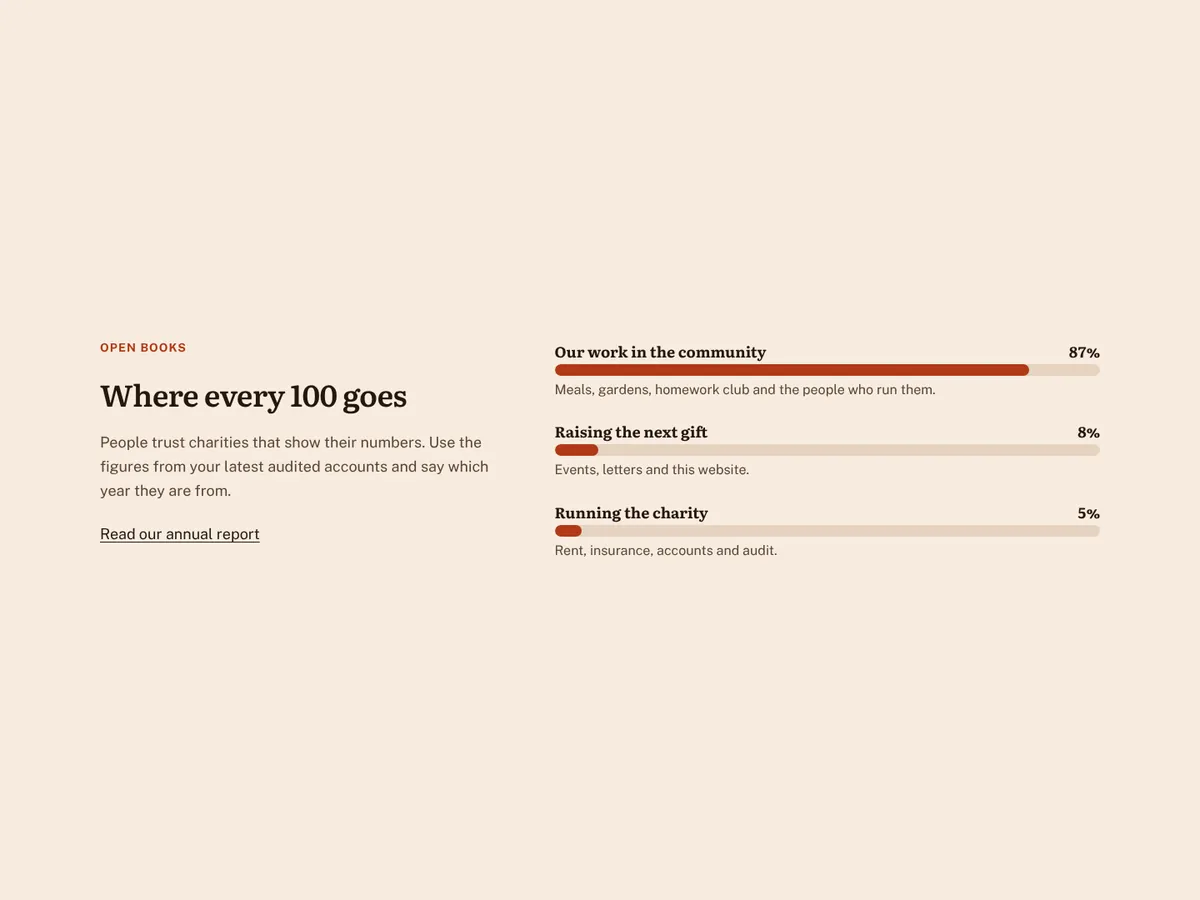
Open books
A “Where every 100 goes” section splits each gift between your work, fundraising and running costs, with a bar for each. A reports section lists your annual report, audited accounts and policies. Trust is easier to earn when the numbers are on the page.
Volunteers, not just donors
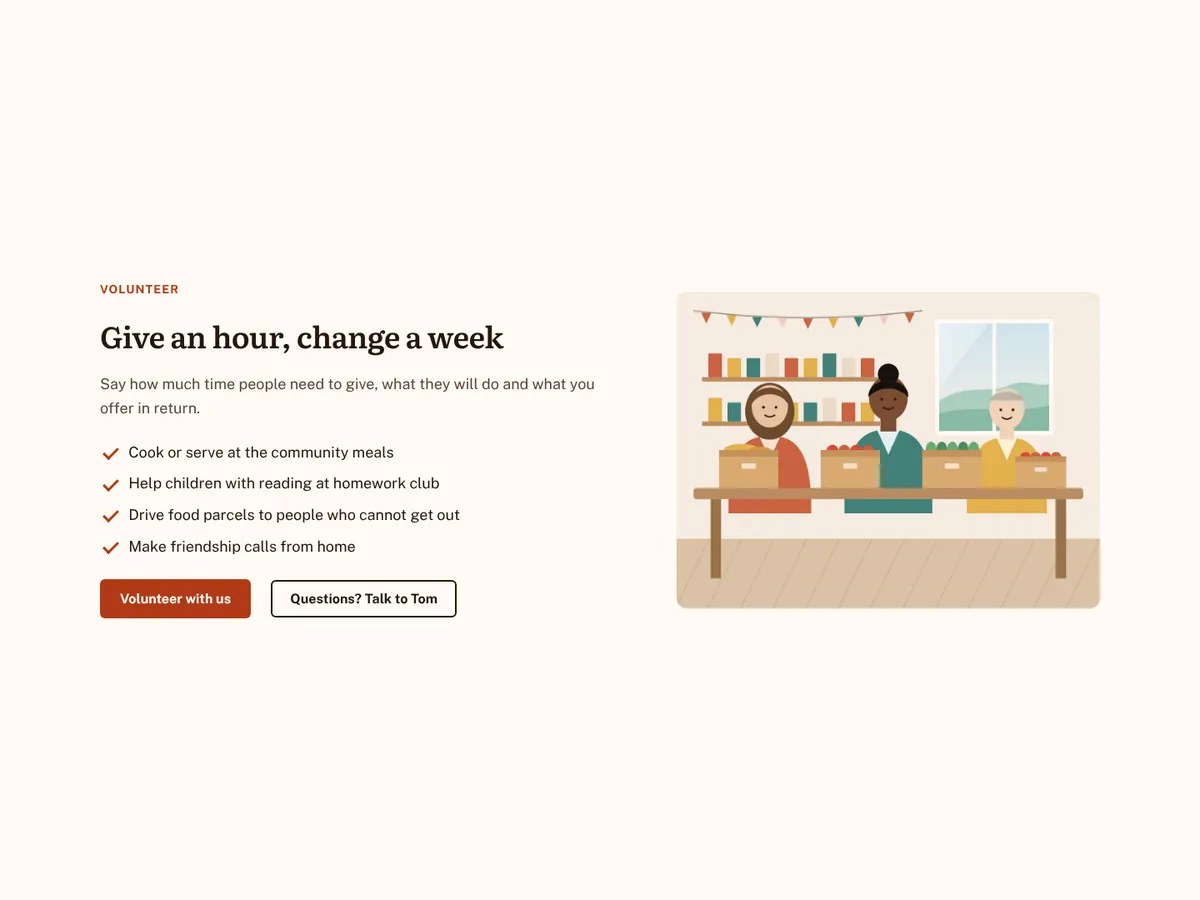
Ask for time as well as money: the roles you need, how much time each takes, and four steps from signing up to a first shift. “Volunteer” buttons go to your page at /volunteer/ or /get-involved/, and “Donate” buttons to /donate/, /give/ or /support/, or your contact page.
Events people can find
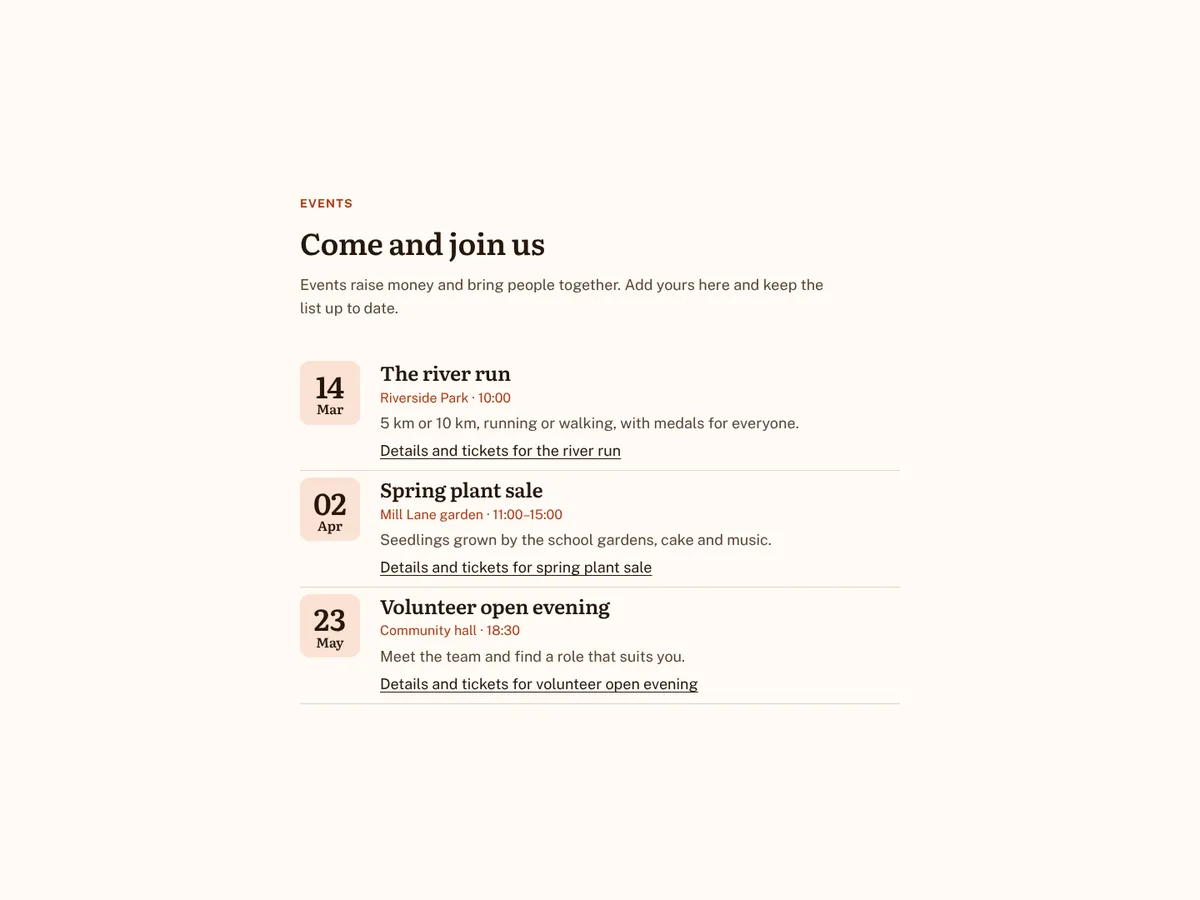
Upcoming events with clear date badges, the place and time, a line about each and a link to details and tickets. Fun runs, plant sales and open evenings raise money and bring new people in.
Good on phones
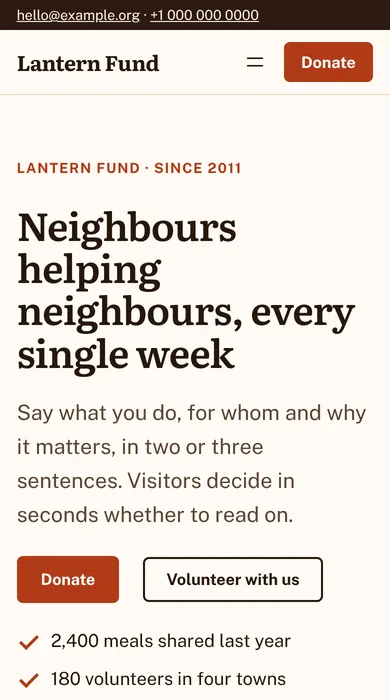
Most people find a cause on their phone, often from a shared link. The Donate button stays in the header, sections stack in a sensible order, and nothing on the page scrolls sideways.
Warm by default, yours in one click
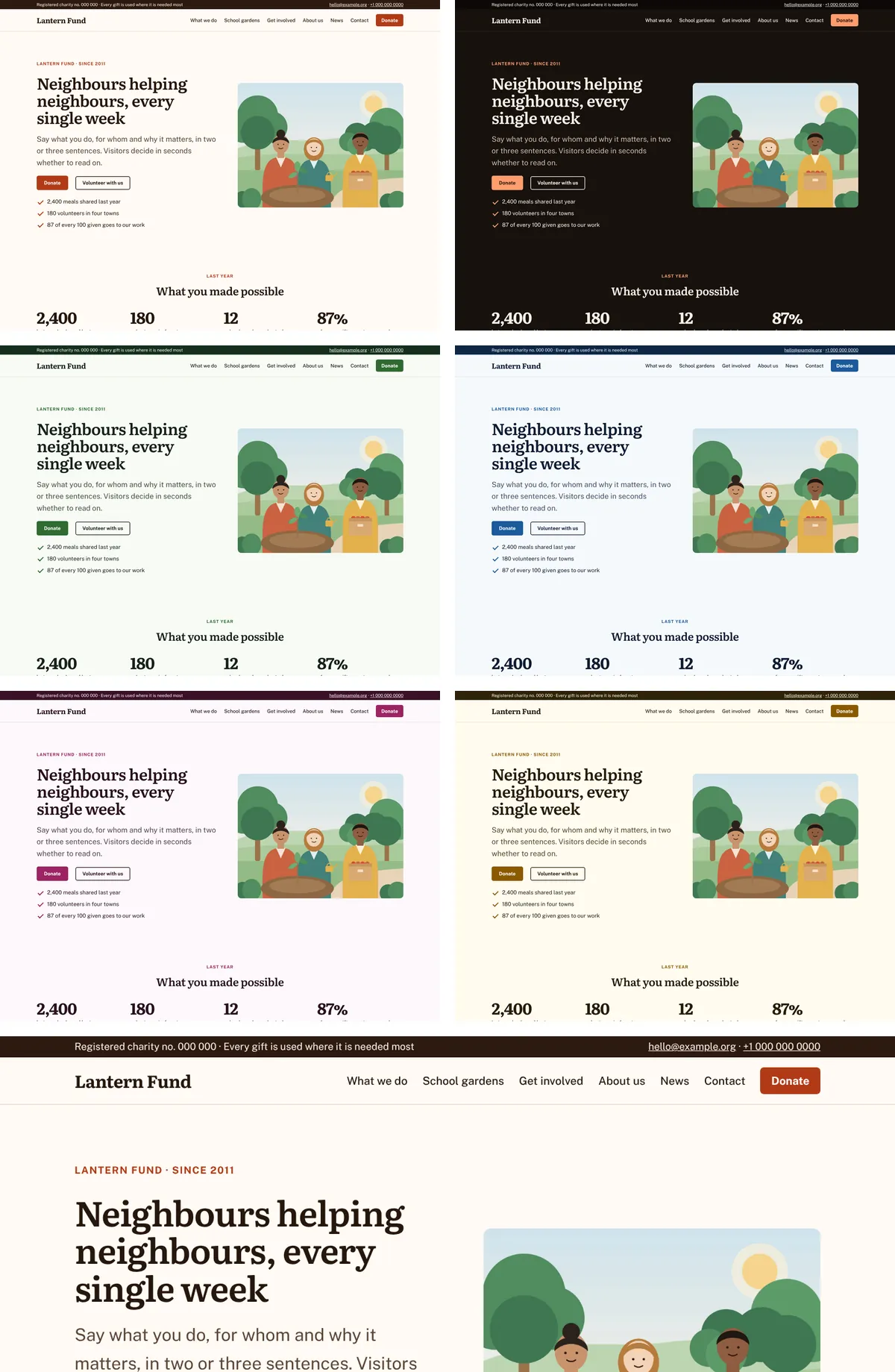
Pick a style under Appearance → Editor → Styles. The default pairs warm paper with a brave terracotta. Night is dark, and Forest, Ocean, Berry and Sunrise match the colours many causes already use. Large text makes every text size bigger. Every colour pair in every look meets WCAG 2.2 AA contrast.
Build any page from blocks
Find them in the block inserter under AriCause. When you add a new page, AriCause also offers eight complete starter pages: a charity home page, an appeal home page, donate, one campaign, what we do, about us, get involved and contact.
Warm on the outside, careful inside
A Donate box under every story
Every post ends with a short box asking readers who were moved by the story to give. Change its words or remove it in the Site Editor.
Type made for reading
Headings are set in Literata, a warm serif made for long reading, and text in Public Sans, made for clear public information, at 18 pixels. Both are stored in the theme.
An accessibility statement
AriCause ships with a statement in the wpaccessibility.org format: what we test, with which tools, and where to report a problem. Focus outlines are 3 pixels thick and links in text are underlined.
Nine templates
A page at reading width, a wide page, a landing page for full-width sections, a blank page, posts, a blog index, archives, search results and a helpful 404 page.
Collects no donor data
AriCause adds no forms and stores nothing about donors. Take gifts with a donation plugin or payment page you trust, and point the Donate buttons at it.
Light and fast
No page builder, no jQuery and no theme script on your public pages. The illustrations and icons are drawn for this theme and stored in it.
From install to first gift in four steps
- Install and activate AriCause under Appearance → Themes.
- Add a page and choose a starter page, such as Charity home or Donate, then replace the sample text with your own.
- Edit the top bar and footer under Appearance → Editor → Patterns: your registration number, e-mail and phone number.
- Create your donation page at /donate/ with the donation plugin or payment link you use, and the Donate buttons find it.
How we test AriCause
Every colour pair in all seven looks is checked against WCAG 2.2 contrast ratios by a script that stops the build if one fails. Every page of the demo and the official Theme Unit Test content is scanned with axe at phone and desktop width in every look, checked at 200% zoom, and tried by hand with only a keyboard. We open every section and template in the editor to make sure no block breaks.
What to expect
A first release
AriCause is at version 0.1.0. We send our themes to the WordPress.org Themes Team one at a time, so it follows the themes already in the queue.
The theme does not take donations
Taking payments needs a payment provider, receipts and safe handling of donors' details, which belong in a plugin or payment service. AriCause makes those pages look good and makes them easy to reach.
Progress bars are updated by you
A bar shows the share you set, and the figures beside it are text you edit. The theme does not count gifts by itself.
Sample people and stories
The people, figures and stories in the demo are made up. Replace them with your own, and ask for permission before you share a real person's story.
Coming soon on WordPress.org
AriCause will be free to install straight from your WordPress dashboard under Appearance → Themes → Add New. Leave your email and we will tell you the day it is live.
Frequently asked
Which WordPress and PHP versions does it need?
WordPress 6.6 or newer and PHP 7.4 or newer. We test it on the current WordPress release, 7.1.
Is AriCause free?
Yes. The theme is free and licensed under GPLv2 or later, like WordPress itself.
Who is it for?
Charities, nonprofits, foundations, community groups, food banks, clubs, and schools or churches raising money for a cause.
Does AriCause take donations?
No. Use a donation plugin or a payment page you trust, and point the Donate buttons at it. The theme stores nothing about donors.
Where does the “Donate” button go?
To your page at /donate/, /give/, /support/ or /support-us/, in that order, and to /contact/ if none of those exist. To send it somewhere else, edit the button in the Site Editor, or use the aricause_donate_url filter in a plugin. “Volunteer” buttons use /volunteer/ or /get-involved/ and the aricause_volunteer_url filter.
How do I update a campaign's progress bar?
The bar is a Columns block with the “Progress bar” style. Select its first column and change its width in the block settings, for example to 62% when you have raised 62% of your goal. Then change the figures beside it.
Can I remove the box under every post?
Yes. Go to Appearance → Editor → Templates → Single Posts and remove the “Support box after posts” pattern, or change its text.
Does it load Google Fonts?
No. Literata and Public Sans are stored inside the theme, so no visitor data goes to Google or any other server.
Is there a dark mode, or bigger text?
Yes. Choose the Night look for a dark site, or Large text to make every text size bigger, under Appearance → Editor → Styles.
Will my pages stay if I change theme later?
Yes. Your pages and posts belong to WordPress. AriCause adds no custom post types or shortcodes, so nothing is left behind if you switch.