Turn the pages yourself
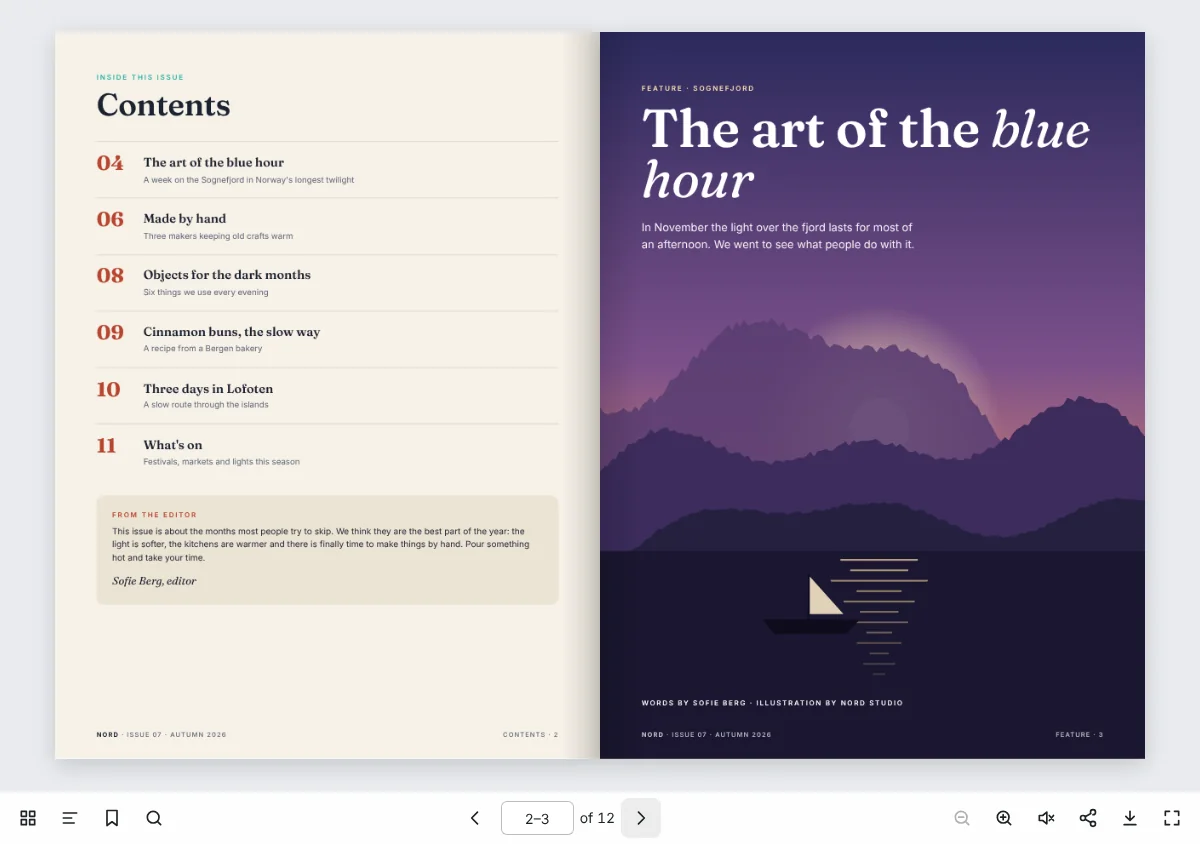
This is AriPageTurn running on this page, with NORD, a 12-page magazine we made for the demo. Drag a corner, use the arrow keys, search for "fjord", or open full screen. On a WordPress site it takes one block or one shortcode.
NORD is an invented magazine; all text and illustrations are original. Download the PDF and try it in your own site.
A book people enjoy paging through
Strong devices get a page that bends as it turns; every other device gets a light 3D turn that works everywhere. Visitors who ask their device for less motion get a simple fade.
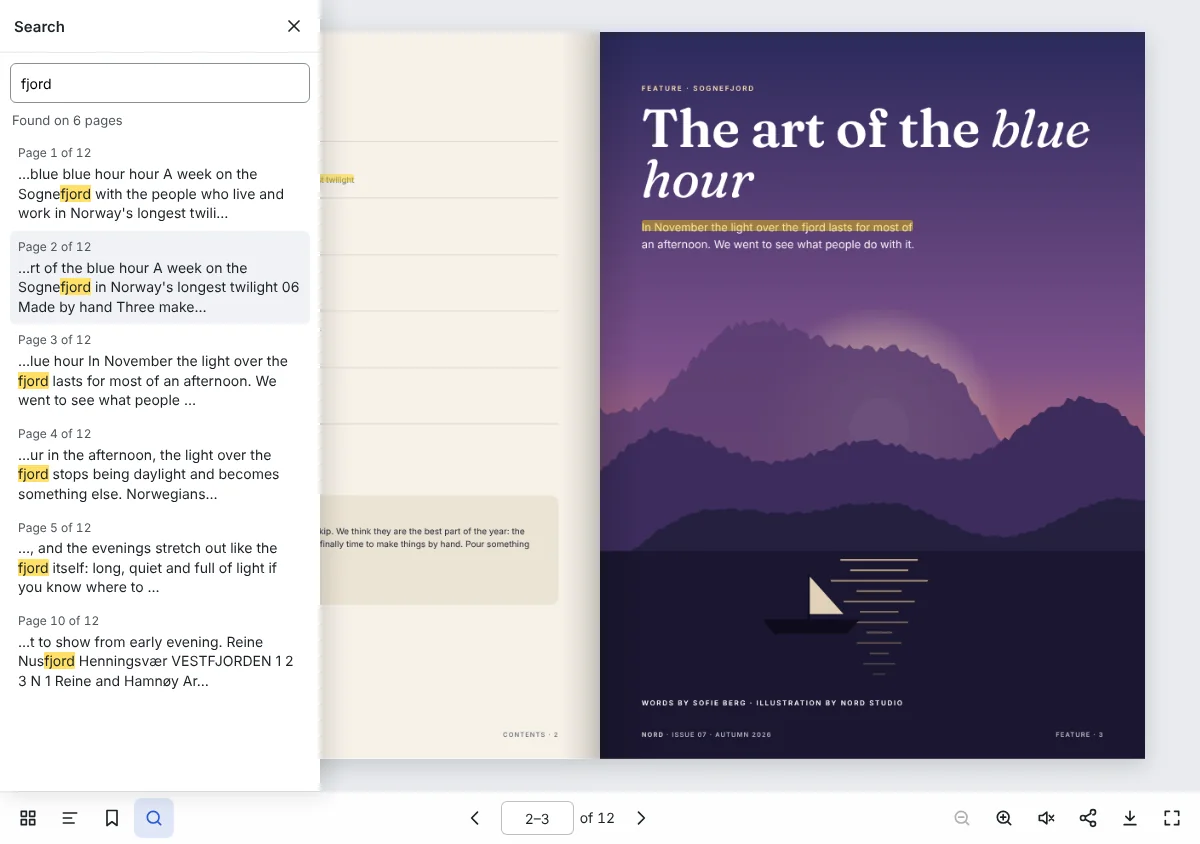
Search, contents and selectable text
Search the PDF's text and see every match highlighted on the page. Readers can select and copy text, and the links inside your PDF work. Scanned books are detected, so they never offer a search that finds nothing.
Bookmarks that keep their place
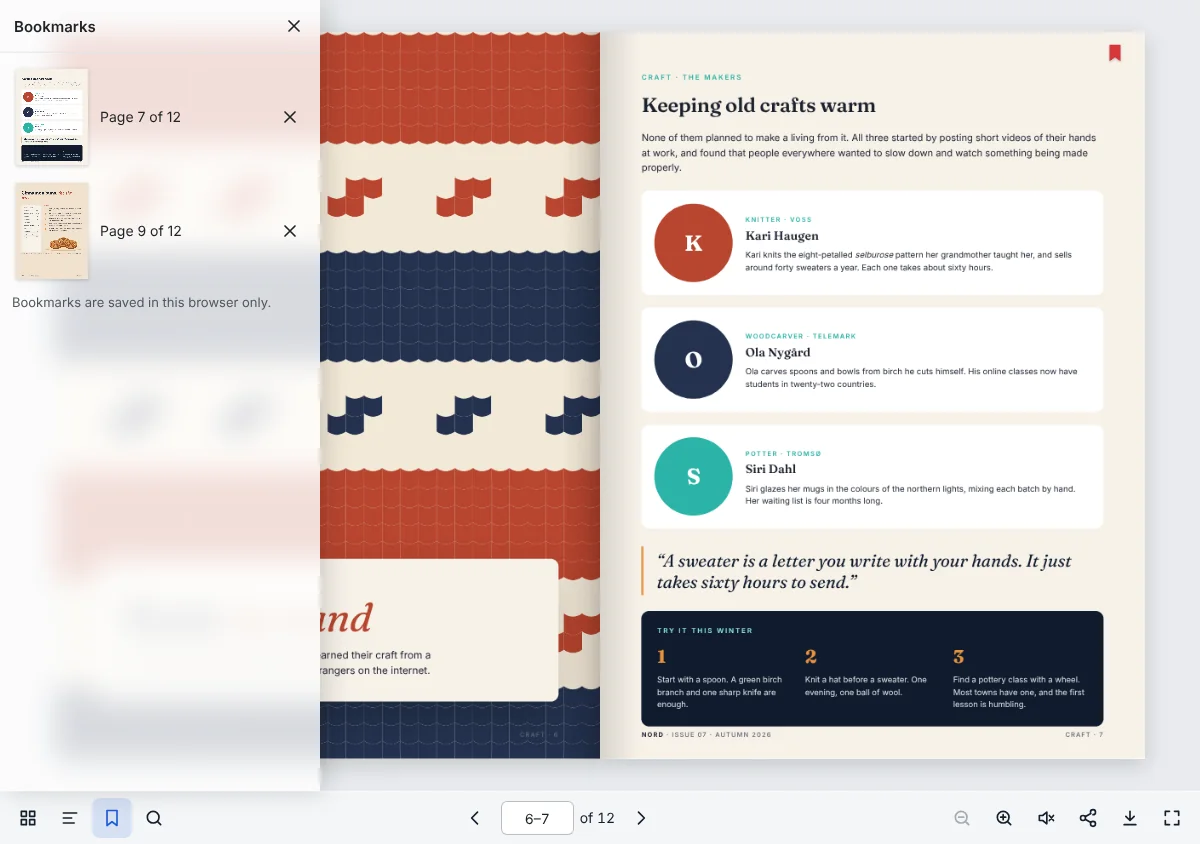
A ribbon in each page corner, or the B key, keeps a page. A Bookmarks panel lists them with thumbnails, and returning readers are offered "Continue at page 14" instead of starting over. Everything stays in the reader's own browser.
A look that fits your site
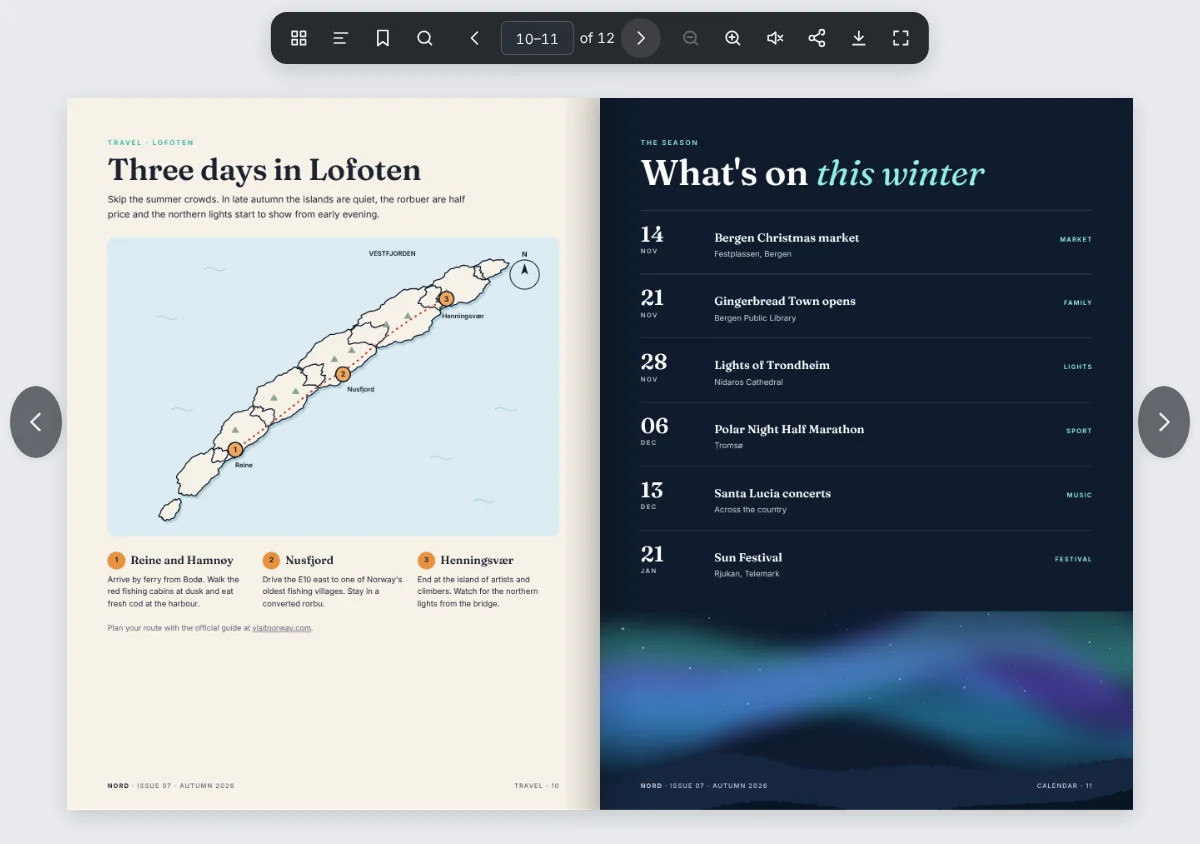
Light, dark or glass. The toolbar above or below the book, full width, floating or transparent, with round, rounded or square buttons in three sizes, your own colours, the buttons you want in the order you want, and large arrows beside the book.
Links, video and more on any page
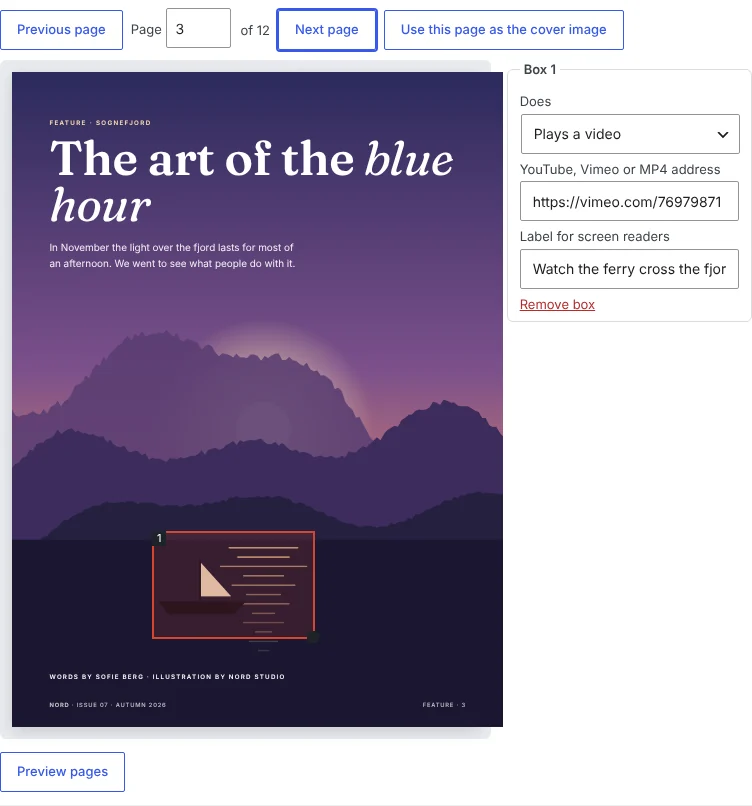
Drag a box over any page in the editor and choose what it does: open a web address, go to another page, play a YouTube, Vimeo or MP4 video, play audio, or show another page in a window, such as a map, a form or a 3D model. Each box gets a label for screen readers.
YouTube videos load from youtube-nocookie.com, and only when the reader presses play.
On the page, in a lightbox or on a shelf
Use the Flipbook block, the Elementor widget or a shortcode. Every setting can change per embed, for example [aripageturn id="12" skin="dark" bar="top"].
On the page
Inline at any height, or the full width and height of the window with room for your header.
Cover, button or link
Opens the book in a lightbox. Any link to #aript-12/page/5 opens book 12 at page 5.
Bookshelves
A wooden, metal or glass shelf, or a grid with titles, of all books, chosen books or one shelf category.
Any PDF by address
[aripageturn pdf="https://…"] shows a PDF without making a book first. Google Drive and Dropbox share links work.
Phones
Their own page turn, layout and height, so a phone gets one clear page.
Its own page
Every book also gets its own page on your site, with its cover in archives.
Bring your books from dFlip, 3D FlipBook or Real3D
AriPageTurn finds the books those plugins made and copies titles, PDFs or page images, covers, categories, right-to-left, download and sound settings, start pages and typed contents. Your old books are only read, never changed.
Pages that use the old shortcodes, such as [dflip id="12"], keep working after you deactivate the old plugin. Run the switch again and it updates the copies instead of duplicating them.
Export and import
Move books to another site with their settings, links and contents. The import can copy the PDFs and images into the new Media Library.
Your files stay yours
PDFs from your Media Library or from another site. Most hosts block other sites from loading their PDFs, so AriPageTurn can fetch them through your own site, keeping a copy for 12 hours.
Light, safe and accessible
Fast first page
The cover is printed with the page itself. PDFs load in parts, so page 1 shows before the whole file arrives, and books further down load only when the reader gets near.
Smooth turns
The next pages are drawn while the browser is idle, never during a turn, and memory stays under a budget, so a 300-page scan does not exhaust a phone.
Accessible
Real buttons with labels, a toolbar you reach with the keyboard, arrow keys to turn, page changes announced to screen readers, and panels that close with Escape.
Follows WordPress visibility
Drafts and private books show only to people who may read them, and password-protected books show the WordPress password form. Their PDF address is never printed for anyone else.
Statistics without tracking
See how often each book is opened, how far readers get and how many read each page. Only daily totals are kept, for two years: no cookies, no IP addresses and no outside requests. You can switch it off, and bookmarks stay in the reader's browser.
Scans welcome
Scanned books from digital libraries open fine, and when a book has no cover image the editor makes one from the first page with real content.
For shops and publishers
A separate add-on we are planning for the free plugin. None of this is built yet, and the free plugin stays fully working without it.
WooCommerce
Open a book from a product page, and show the full book only to customers who bought it.
Lead capture
Ask for an email address before page 5, with consent recorded.
Pages as images
Convert a PDF into page images on your server, for books that should open even faster.
Coming soon on WordPress.org
AriPageTurn will be free to install straight from your WordPress dashboard under Plugins → Add New. Leave your email and we will tell you the day it is live.
Frequently asked
Is it really free?
Yes. Search, contents, bookmarks, video and links on pages, shelves, the lightbox, skins, reading statistics and switching from other plugins are all in the free plugin, with no limit on books or pages.
My PDF is on another site and does not open.
Leave "Load PDFs from other sites through this site" on in Flipbooks → Settings. For Google Drive, share the file with "Anyone with the link".
Can visitors download my PDF?
Turn off "Allow download" for one book or for every book. A PDF shown in a browser still has to reach the browser, so anyone determined can save it; for real protection, keep the book private or password-protected.
Why can I not search or select text in my book?
Scanned books are pictures of pages, and some PDFs use fonts without readable text. AriPageTurn checks a few pages and turns search and text selection off for those books, instead of offering a search that finds nothing.
Does it work with page builders?
There is a block for the block editor, widgets for Elementor, and shortcodes for everything else.
What happens to my books if I delete the plugin?
Nothing, unless you turn on "Also delete all flipbooks, shelves and these settings" in Flipbooks → Settings first. Your PDFs and images stay in the Media Library either way.